A WordPress site can rank poorly, load slowly and contain technical warnings at the same time. Running one generic “website audit” often produces a long list of unrelated issues without explaining which problem belongs to which discipline.
SEO audits, performance audits and WordPress site-health audits overlap, but they do not answer the same question.
An SEO audit asks whether search engines can discover, understand and appropriately surface the site’s useful pages. A performance audit asks what slows delivery and interaction for real users. A WordPress site-health audit looks at the application itself: updates, server context, scheduled tasks, compatibility, security posture, database/maintenance signals and other operational conditions.
Knowing the difference prevents a common mistake: trying to fix an SEO problem with a cache setting, or trying to fix a PHP/plugin problem by rewriting page titles.
What an SEO audit is trying to discover
An SEO audit should explain how the site is represented in search and whether important pages are easy for search engines and users to understand.
Depending on the site, that can include:
- indexability and crawlability of important URLs;
- canonical and duplicate-page signals;
- page titles and search snippets;
- content quality and search-intent fit;
- keyword/page overlap;
- internal linking and orphaned pages;
- structured data where relevant;
- sitemap coverage;
- Search Console impressions, clicks, CTR and query/page relationships.
Search Console is important because it shows what is actually happening in Google Search. Google’s Performance report documentation explains how to review the queries that surface a site, the pages receiving clicks and impressions, CTR and average position.
An SEO audit should turn that evidence into page-level decisions rather than treating every metric as a standalone score.
What a performance audit is trying to discover
A performance audit asks where time and browser work are being spent.
It may look at:
- server response time;
- page-cache behavior;
- image size and delivery;
- font loading;
- render-blocking resources;
- JavaScript execution and third-party scripts;
- layout movement;
- dynamic requests;
- CDN and browser-cache behavior;
- Core Web Vitals and other user-experience measurements.
A cached page can still be slow because caching is only one layer. Our article on why a cached WordPress site can still feel slow breaks down the problems that remain after a page-cache HIT.
A performance audit is strongest when it identifies causes, not when it simply reports a score. A lab score that changes from one run to the next is less useful than knowing that one oversized hero image and one third-party script are responsible for most of the delay.
What a WordPress site-health audit is trying to discover
WordPress is an application with its own runtime, plugins, themes, database, scheduled jobs and server requirements. A site-health audit asks whether that environment is stable and maintainable.
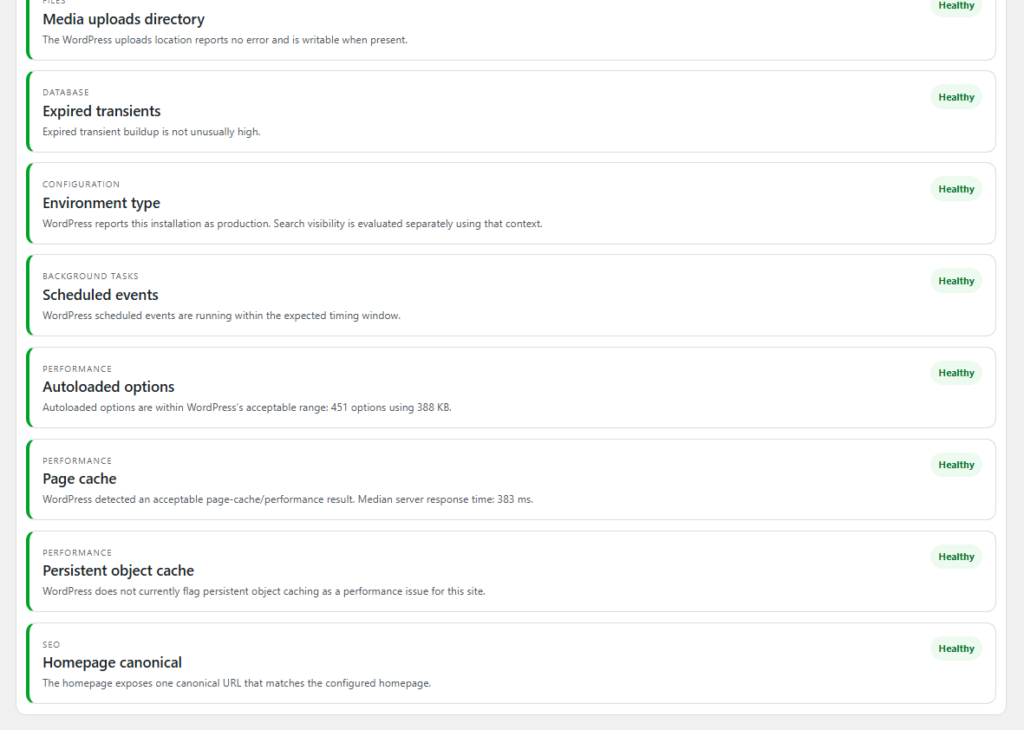
WordPress’s own Site Health screen reports critical issues, recommended improvements and detailed environment information. It can surface conditions such as background-update failures, missing modules, outdated software, debug exposure and server constraints.
A broader WordPress health review may also look at:
- plugin and theme compatibility;
- duplicated plugin responsibilities;
- PHP and WordPress versions;
- memory and execution limits;
- WP-Cron or scheduled-task health;
- database and revision overhead;
- security headers and configuration signals;
- cache/object-cache context;
- broken internal links and content-maintenance signals.
Our existing WordPress Site Health audit checklist explains how to distinguish urgent findings from items that simply deserve review.
Where the three audits overlap
Some issues sit in more than one category.
Internal links are part of SEO because they help users and crawlers understand relationships between pages. They can also appear in a site-health review as orphaned-content or broken-link signals.
Performance can affect user experience and search visibility, but it also depends on WordPress configuration, plugins, hosting and cache layers.
Security or server failures can become SEO problems when they make pages unavailable, block crawling or generate the wrong HTTP response.
The overlap is useful. The mistake is assuming that one audit can replace the others.
Which audit should you run first?
Start with the problem that can cause the most immediate harm.
If the site is broken or unstable
Begin with WordPress site health. A fatal error, failed update, broken cron process or plugin conflict should be stabilized before you worry about rewriting metadata.
If a plugin conflict is suspected on a production site, use a controlled process such as the one described in testing WordPress plugin conflicts safely on a live site.
If the site works but feels slow
Run a performance audit. Confirm whether the problem is server response, cache behavior, images, scripts, fonts or dynamic requests. Do not install another optimization plugin until you know which layer is actually slow.
If the site is technically stable but search discovery is weak
Move to the SEO/content audit. Review Search Console queries and pages, indexability, internal linking, content overlap and whether the important pages genuinely satisfy their intended search need.
If all three are uncertain
Use a staged order:
- stabilize the WordPress environment;
- fix major performance bottlenecks;
- audit search/content architecture;
- re-test after each meaningful change.
That order reduces the chance of measuring SEO while the site is unstable or measuring performance while a plugin conflict is still generating errors.
Three example problems and the right starting point
Example 1: impressions are rising but clicks are flat
This is primarily an SEO/Search Console question. Review which queries and pages are generating impressions, whether the title/snippet matches the search need, and whether several URLs are splitting the same intent.
A cache plugin is unlikely to explain low CTR.
Example 2: the homepage is cached but mobile users complain it is slow
This is primarily a performance question. Inspect large images, JavaScript, fonts, third-party requests and Core Web Vitals. Confirm cache behavior, but do not assume the cache layer is the remaining bottleneck.
Example 3: forms fail after an update and Site Health shows background-task problems
This is primarily a WordPress operational question. Check logs, plugin compatibility, scheduled tasks and environment health before making SEO changes.
Do not turn audit scores into the objective
Scores can help summarize a large report, but they are not the website’s purpose.
A site can improve from 85 to 95 and still have a broken checkout. Another site can have a modest performance score while its most important pages load quickly for real users and convert well.
Prioritize confirmed business impact, security, accessibility, user experience and search discoverability. Use scores to track evidence, not as a reason to apply risky changes.
How TopNotch’s three products map to the work
TopNotch separates these problems because forcing them into one tool can make recommendations harder to trust.
TopNotch AI SEO Tool focuses on existing content coverage, search intent, query/page overlap, pillar and supporting relationships, keyword imports and Search Console context. It is for deciding what the site should improve or write next without duplicating what already exists.
NotchCache focuses on WordPress performance and caching with a diagnose-first approach. It is intended to help identify the active performance layer before higher-risk optimization controls are enabled.
TopNotch Site Health Pro focuses on WordPress diagnostics across compatibility, maintenance, security posture, performance context and content-architecture signals. It is designed to surface evidence without silently applying broad production changes.
The products overlap where real website problems overlap, but each has a primary job.
Use one change log across all three audits
When SEO, performance and technical maintenance are happening at the same time, keep a simple change log.
Record the date, URL or system affected, the change, the reason and the verification result. This helps answer questions later when traffic, speed or site behavior changes.
Without a change log, a ranking drop after a plugin update and a title rewrite can become difficult to diagnose because nobody remembers which change happened first.
Measure the result with the right evidence
For SEO changes, monitor Search Console impressions, clicks, CTR, queries and page-level performance over a meaningful period.
For performance work, monitor real-user or field metrics when available, plus repeatable lab diagnostics for the specific page.
For site-health work, re-run the diagnostic, confirm the original symptom is gone, and test the business-critical flows affected by the change.
The verification method should match the problem.
A complete audit is not one giant checklist
The most useful website audit is a sequence of focused questions:
- Is WordPress stable and maintainable?
- Can visitors use the important pages quickly and reliably?
- Can Google discover and understand the pages that matter?
- Does each important URL have a clear purpose?
- Did the changes actually improve the evidence we care about?
Answer those questions separately, then connect the results. That produces a much clearer plan than a single score with hundreds of mixed warnings.