Find the WordPress problem. Understand the cause. Fix it safely.
TopNotch Site Doctor Free turns scattered WordPress health warnings into a practical workflow: diagnose the issue, see the evidence, follow a guided repair, use a small set of verified low-risk fixes where appropriate, then re-test the site.
Free download · No account required · No trial timer · No hidden diagnostic quota
The Free edition includes the complete diagnosis, manual guided fixes, scan history, repair/action history, re-testing, rollback support for compatible option-level changes, and a small allowlist of genuinely low-risk automated repairs. Higher-impact changes remain reviewed rather than being applied blindly.
See the health of the site before touching the site.
A maintenance warning does not always mean something is broken, and a green status does not explain why the site is healthy. Site Doctor groups WordPress findings into Critical, Recommended and Healthy results so the next action is easier to judge.
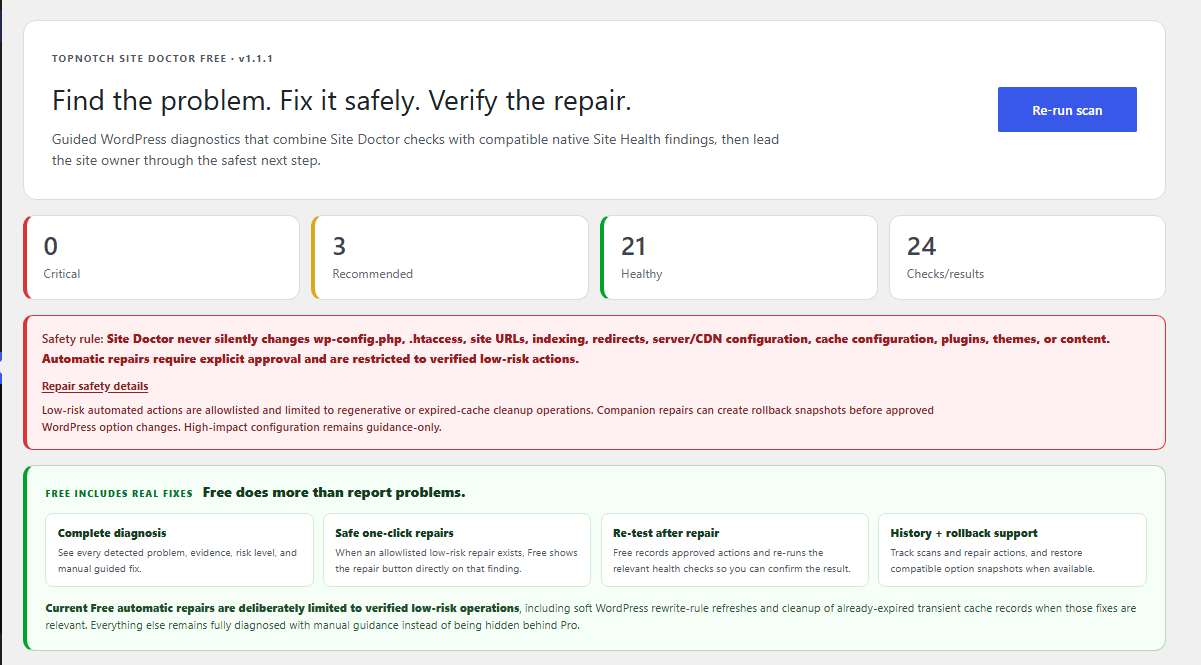
Real Site Doctor dashboard output from a live WordPress test site.
What Site Doctor checks
The checks focus on practical WordPress conditions that can affect discoverability, maintenance, background processing, security posture and performance.
SEO & indexability
Search visibility, homepage indexability, robots.txt, XML sitemap output, canonical URL behavior, HTTPS and 404/redirect handling.
Background jobs
WP-Cron configuration, scheduled-event timing and Action Scheduler queue evidence, including failed and genuinely overdue jobs.
Performance context
Page-cache signals, persistent object-cache status, autoloaded options and WordPress/PHP memory context.
Security posture
Public debug display, mixed-content checks and common response-header protections without pretending every header is safe to add automatically.
Connectivity & files
REST API, loopback requests and the media uploads location so common WordPress execution failures are easier to isolate.
Database housekeeping
Expired transient buildup and autoloaded-option size, using conservative thresholds instead of generic “optimize everything” advice.
Real guided fixes and a small safe-repair layer
Free keeps the diagnosis visible and tells the site owner what to do next. Eligible low-risk repairs require explicit approval and are deliberately limited.
- Guided manual repair steps
- Safe rewrite-rule refresh only where technically appropriate
- Expired transient cleanup
- Compatible rollback snapshot restore
- Automatic re-scan after approved Site Doctor repairs
Root cause → repair → verify → prevent
When the Pro add-on is active, the same Site Doctor workspace goes deeper: it identifies the active cause, builds a selective repair plan, verifies the result, monitors recurrence, and adds Search Intelligence without turning risky changes into blind one-click fixes.
Important: Pro is not intended to mean “change everything automatically.” Server, CDN, filesystem, plugin/theme and content changes remain classified by repair safety and require the appropriate review or approval.
Evidence instead of vague warnings
Site Doctor does not stop at “background tasks need attention.” It can show the size of the problem, the affected hook and the likely owning component when evidence supports that conclusion.
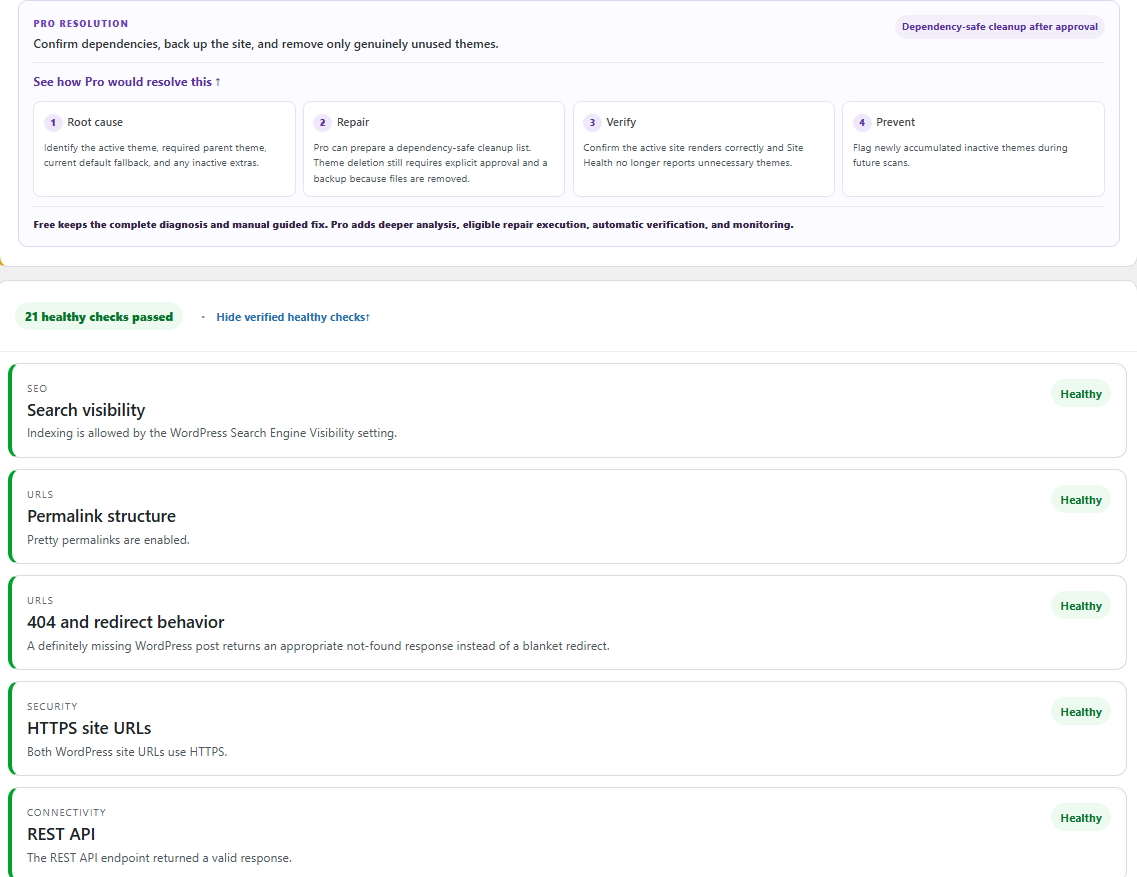
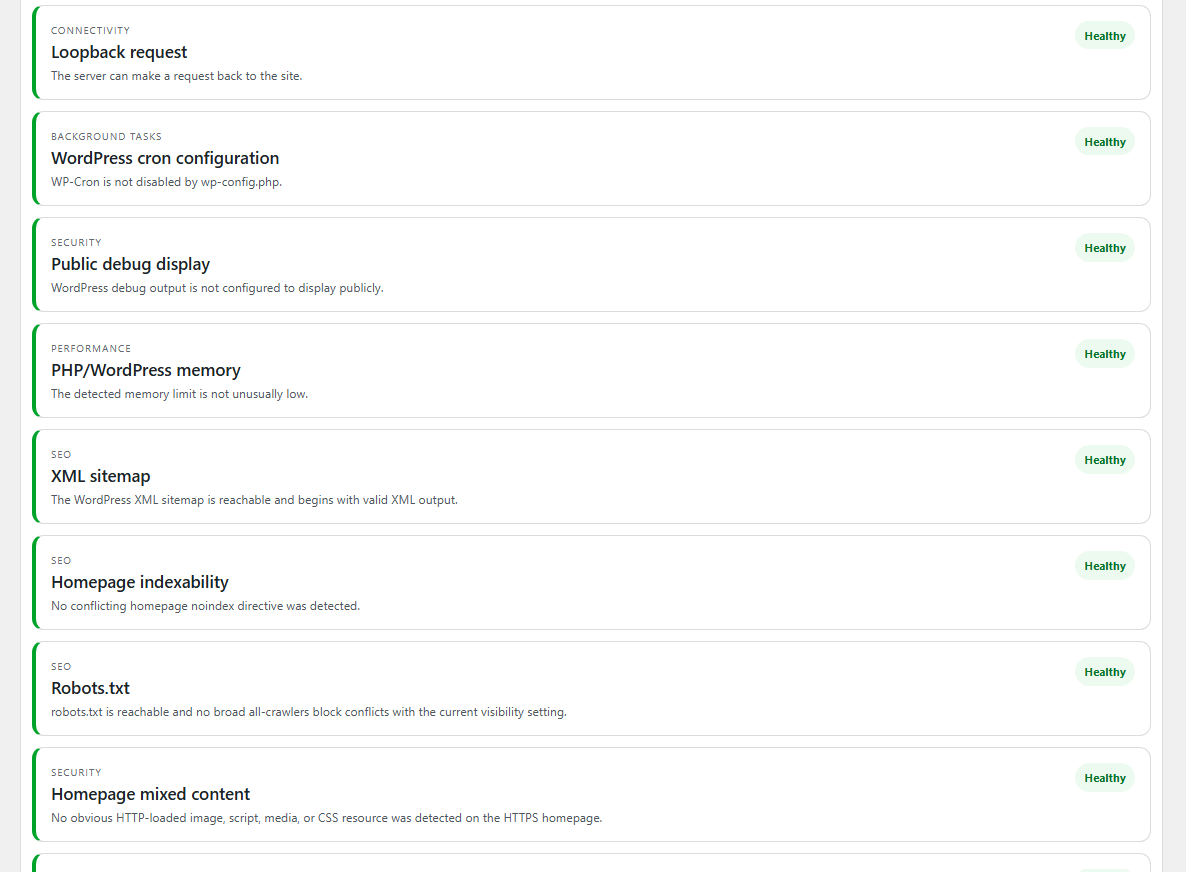
Useful alongside Google Search Console—not a replacement for it.
Google Search Console is the authoritative source for Google Search performance and Google’s indexed view of your pages. Site Doctor works on the WordPress side: it checks the live site configuration and the local technical conditions that can contribute to crawl, indexing, redirect, sitemap, canonical and availability problems.
The Pro Search Intelligence module correlates those two views so a site owner can understand both what Google reports and what WordPress is doing now. Free v1.2.4 does not connect to a Google account and does not send diagnostic telemetry to TopNotch Agency.
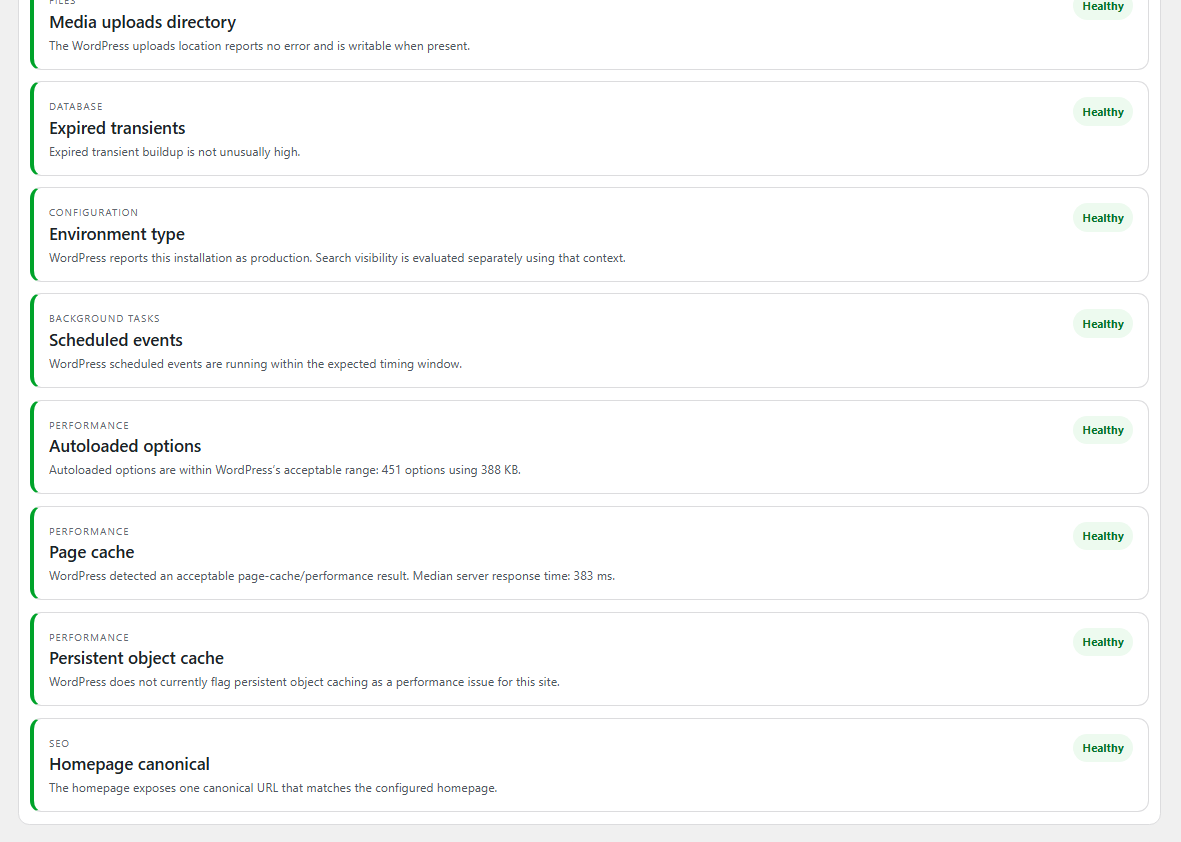
A healthy result is still useful evidence.
Verified healthy checks stay available without overwhelming the main problem list. This gives administrators a record of what was tested rather than only a list of failures.
Designed to avoid “fixes” that create a second problem
High-impact configuration stays under administrator control.
The Free rewrite repair refreshes WordPress rules in memory without forcing a hard file rewrite.
Failed Action Scheduler jobs are evidence to investigate, not records to erase just to make a warning disappear.
Site Doctor can surface technical conditions and repair paths. It does not claim that passing a check guarantees Google rankings or indexing.
Install in a few minutes
- Download the ZIP below.
- In WordPress, go to Plugins → Add Plugin → Upload Plugin.
- Upload TopNotch-Site-Doctor-Free-v1.2.4.zip and activate it.
- Open Tools → TopNotch Site Doctor.
- Run the scan, review problems first, and use guided or eligible safe fixes deliberately.
Common questions
Does Free actually fix anything?
Yes. Free includes manual guided fixes for detected findings plus a small allowlist of low-risk automated repairs such as expired-transient cleanup and safe rewrite-rule refresh where that repair is technically appropriate. It does not pretend every problem is safe to automate.
Will it change my theme, plugins or content automatically?
No. Site Doctor’s safety model keeps theme/plugin deletion, content changes, redirects, site URLs, indexing changes and server/CDN configuration out of silent automation.
Does Free connect to Google Search Console?
No. Free v1.2.4 runs local WordPress diagnostics and does not connect to a Google account. Search Intelligence is available in the Pro add-on, where Google-reported data can be correlated with Site Doctor’s live WordPress diagnostics.
Is passing every check a guarantee that Google will index or rank the site?
No. Technical health can remove obstacles and provide evidence, but search indexing and rankings depend on many systems and signals outside a WordPress plugin’s control.
Diagnose first. Repair carefully. Verify the result.
Download the Free edition and use it on your own WordPress site. The plugin is designed to make technical findings understandable without turning every warning into a risky one-click change.